Browse Month

February 2012

6am start for Raspberry Pi

So, 6am this morning. The ProVu techies were up trying to get their hand’s on a RasperryPI.

This is a new mini computer which runs Linux. They are cheap at $35. We all really excited about the launch. We all have ideas of things we want to build with the device. The educational aspect that kids can have a computer cheap enough to just play with is fantastic.

This morning, the announcement was that they had decide to use RS and Farnell for distribution. These are both huge companies. Farnell’s turnover is £990 million.

We have an account with Farnell, so thought buying would be easy.

Unfortunately, I slept in until 6.03 by which time the websites of the both distributors had gone offline. Only now at 11:59 has the Farnell website been up enough to place a pre-order for the next batch.

It is all good.

Yealink Handset Training Day

Last week, ProVu ran a Yealink handset training course down at the University College London (UCL). Roy from Yealink UK was also present to oversee the course and answer the commercial stuff.

The course is designed to cover the range of Yealink products and give a better technical understanding of the products. Attendees should be able to configure the Yealink phones and perform simple diagnostics to trace problems.

A wide range of topics was covered: ranging from the very basics of setting up a Yealink phone to configuring OpenVPN and discussing Yealink security features, amongst other things.

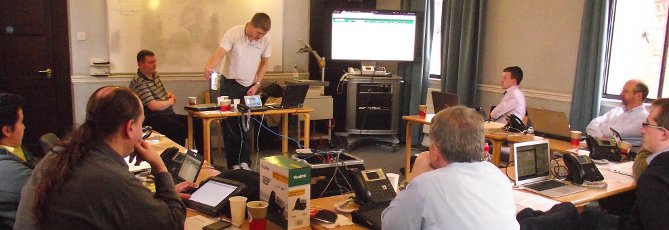
Here is a picture of me demonstrating the Yealink video phone making a video call with a Protalk Door Entry unit:

There was a Yealink goody-bag for people to take away at the end of the day which included a Yealink cup for you to SIP from.

ProVu announce open-day and London road-show in March


Featuring… Sangoma Vega series. snom (Lync) and the latest in IP door entry systems.

ProVu are running two special events during March:

Open-day: Thursday 15th March 2012, 11am – 3pm @ ProVu offices, Huddersfield (Map)

Road-show: Wednesday 21st March 2012, 11am – 3pm @ IET, London (Map)

At the events we will be:

  • Launching the new Sangoma Vega Gateways
  • Presenting the latest in Microsoft Lync technology from snom
  • Demonstrating the ProTalk range of IP Door Entry systems

These events are a great opportunity to see, meet and discuss these new products with the ProVu team plus experts from Sangoma and snom.

itspa
In addition, the London event is just a short walk from the ITSPA awards that will be getting under way just after 4pm.
Entry to the Road-shows is free of charge and a buffet lunch will be provided.

FREE Prize DrawPLUS: Each event attendee will be entered into a FREE prize draw, to win a snom one SoHo PBX and a Sangoma Vega 50
For more information and to book your place at a event

The end of pricing.provu.co.uk

We are going to switch off pricing.provu.co.uk on 22 of February.

Instead we ask people use the Price list in Prosys. This has all the same features and more.

While the old site has worked for many years, it isn’t keeping pace with our changing business. Many of our customers now get slightly better pricing because they are parts of Manufacturer schemes such as Snom SCE. Prosys is aware of these whereas the old pricing.provu.co.uk doesn’t.

We want to put an end to any confusion. We also will run one secure site for all price information.

If you are a reseller but don’t have log in details for ProSys yet, please contact us on 01484 840048.

UDVguard- Free Android App For Protalk Door Entry System

We are pleased to announce first Android app for the Protalk door entry system.

NOTE: This app also works with Cityline and Skyline products.

Some of the main features of the app are:

Monitoring of multiple door stations:
You can monitor multiple door phones under one interface.

Controlling of door phone:
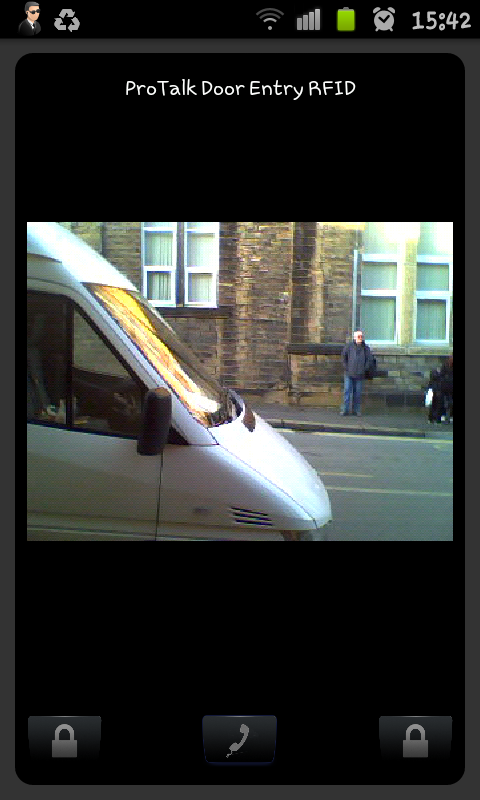
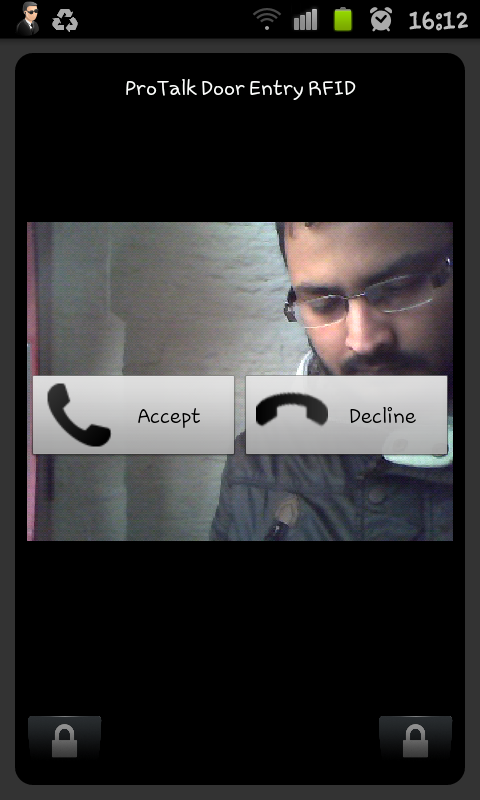
User can unlock the door from the interface i.e by pressing the designated button on the screen. Also a call can be initiated from the app to the door phone.

Multitasking:
This app can sit in the background while you do other things.

SIP Support:
It support both sip server mode and peer to peer mode.

The UDVguard application is available free of charge from Google Market place.


Installation and Configuration:

* Turn on Wifi

* Open Market place and search for UDVGuard. Install and run the program.

* Select Menu >> Settings > DoorPhone Management. Add the IP address of the door unit to monitor. By default, the program offers parameters 192.168.1.250 and port 80. Change the IP address to match IP of the door phone.

* If you want to software to pop up on incoming calls check “Pop Up” box .

* Default audio mode is set to Peer-to-peer. Select it according to your requirement. If using SIP mode , remember to add sip user info in relevant fields.

If everything is setup up properly you should be able to receive a call on your device if someone presses the button on the door.

WARNING: This software runs in background. Please quit the software when not in use to save battery.

Tested Devices

Tablets:
Acer Iconia Tab A500
Manta MID01

Mobile phones:
HTC Wild Fire A3333
HTC Desire
Samsung Galaxy GT-i9000
Samsung Galaxy mini GT-S5570