Choosing the right networking platform shouldn’t give you nightmares.
With TP-Link Omada, you don’t have to compromise on performance, flexibility or value.
Whether you’re deploying a single customer site or managing networks across multiple locations, Omada Fusion offers a cost-effective alternative to UniFi Cloud Gateways and Dream Machines. Paired with our services, it can be a compelling option.
Full 2.5G Connectivity. Great Value.
Why pay more for features your customers don’t need?
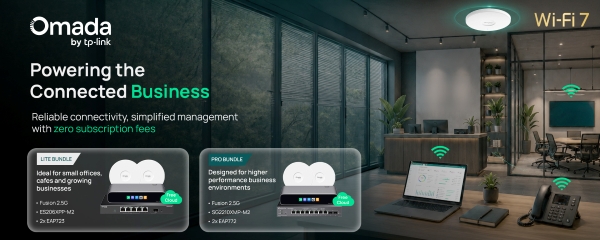
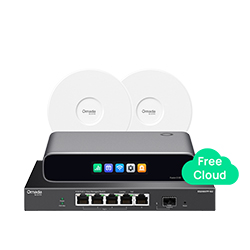
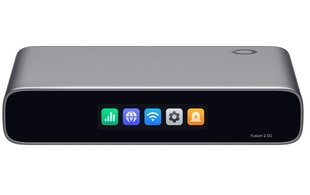
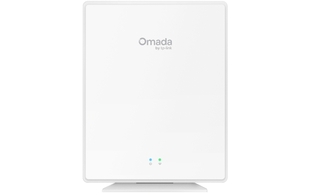
The TP-Link Omada Fusion 2.5G delivers five 2.5G ports, an integrated network controller and competitive performance, all at an attractive price point.
Compared with the Ubiquiti UCG-Max, the Fusion offers the same full 2.5G port connectivity, while avoiding the additional NVMe storage hardware that many networking and VoIP deployments simply don’t require. This can help reduce exposure to the rising costs and supply uncertainties currently affecting memory-based components.
A Network Management Dream
One of Omada’s biggest advantages is the flexibility to choose how your networks are managed.

All-in-One:
Combine routing + controller functionality in a single Fusion device
Cloud-Managed:
Pair a more affordable router, such as the ER707-M2, with Omada’s cloud-based controller
Cloud Without Controller Hardware:
Omada Cloud Essentials offers a free cloud-hosted controller for smaller deployments, with paid & self-hosted options for more advanced requirements & management across multiple sites.
The result? More freedom over hardware costs and how you manage multiple customer sites.
And What About Ubiquiti UniFi?
UniFi offers a broad range of gateways and network management options, with models designed for different deployment sizes and requirements.
From multi-gigabit connectivity to integrated PoE capabilities, there’s plenty to consider when comparing the hardware.

Taking a More Technical Approach
The best gateway isn’t necessarily the one with the longest feature list. It’s the one that delivers the right performance, functionality and value for your customer’s needs.
Both TP-Link’s Omada Fusion 2.5G and Ubiquiti’s UCG-Max offer five 2.5G ports, built-in network management and support for deployments with hundreds of clients. But there are some important differences to consider:
Omada Fusion 2.5G
- Lower market price: (approx. 27% less)
- IPS/IDS throughput: 2.1 Gbps v 1.5 Gbps for UCG-Max (although Ubiquiti states up to approx. 2.3 Gbps with UniFi OS 4.1+)
- Larger touchscreen: 2.51” v UCG-Max’s 0.96” display
- More flexible mounting: Rack mounting is also available for Fusion, but unavailable for the UCG-Max
- Built-in content filtering: 81 content-filter categories included
Ubiquiti UCG-Max
- Built-in NVMe storage: 512GB for UniFi Protect applications, useful for customers using Ubiquiti’s camera ecosystem
The UCG-Max’s storage may be valuable for surveillance deployments, but for customers primarily focused on networking and VoIP, Fusion’s lower entry price could make it a more cost-effective choice.
The Reality Behind the Dream: What Matters to Your Customers? Not just the specifications, but the cost of the hardware and the features they’ll actually use must be considered to prevent an installation from becoming a nightmare.
Explore the Fusion Range
TP-Link’s Fusion Gateway Series covers a range of deployment requirements, with potential Ubiquiti comparisons including:
Fusion Max 10G PoE v UDM Pro Max or UDM SE (with PoE)
Fusion Max 10G v UDM Pro
Fusion Pro 10G v UCG-Fiber
Fusion Pro 2.5G PoE v UCG-Max & Flex 2.5G PoE
Fusion Pro 2.5G v UCG-Max
Fusion Pro Wi-Fi 7 v Unifi Dream Router 7
Fusion 2.5G & Fusion G+ v UCG-Ultra
Fusion Wi-Fi 7 v Unifi Express & Unifi Express 7
Make Every Deployment a Dream with ProVu
Great hardware is only part of the story. With ProVu, you can simplify the entire deployment process.
Our zero-touch provisioning service takes care of the groundwork, so your engineers don’t have to.
- Devices arrive pre-assigned to the customer’s Omada site
- No need to unbox devices to retrieve & enter individual device details
- ProVu can ship directly to the deployment site
- Orders can be placed through ProSys or your own API
- UK-based stock, ready for quick dispatch
- UK-based support available from our no-nonsense Tech Support Team
Less manual configuration. Fewer logistical headaches. More time for your next project.
Once your ProVu account is set up, you can easily order Omada devices through ProSys or your own API. All you need to do is get yourself set up first and you can do that by contacting us. Then include in all future Omada orders an Omada site name, then we’ll assign the product IDs and device details on your behalf and can ship directly to that site. There’s no need to wait to unbox the devices and DIY then post again; they’ll arrive at their final location for the next stage of configuration.
Ready to Rethink Your Next Network Deployment?
Discover how TP-Link Omada and ProVu can help you deliver reliable, cost-effective networking solutions without the deployment headaches. Speak with us today to get started. Call 01484 840048 or contact@provu.co.uk to speak with a member of our team.