Browse Tag

Tp-Link

A Sweet Dream, or a Beautiful Nightmare?

Choosing the right networking platform shouldn’t give you nightmares.

With TP-Link Omada, you don’t have to compromise on performance, flexibility or value.

Whether you’re deploying a single customer site or managing networks across multiple locations, Omada Fusion offers a cost-effective alternative to UniFi Cloud Gateways and Dream Machines. Paired with our services, it can be a compelling option.

Full 2.5G Connectivity. Great Value.

Why pay more for features your customers don’t need?

The TP-Link Omada Fusion 2.5G delivers five 2.5G ports, an integrated network controller and competitive performance, all at an attractive price point.

Compared with the Ubiquiti UCG-Max, the Fusion offers the same full 2.5G port connectivity, while avoiding the additional NVMe storage hardware that many networking and VoIP deployments simply don’t require. This can help reduce exposure to the rising costs and supply uncertainties currently affecting memory-based components.

A Network Management Dream

One of Omada’s biggest advantages is the flexibility to choose how your networks are managed.

All-in-One: 

Combine routing + controller functionality in a single Fusion device

Cloud-Managed: 

Pair a more affordable router, such as the ER707-M2, with Omada’s cloud-based controller

Cloud Without Controller Hardware:

Omada Cloud Essentials offers a free cloud-hosted controller for smaller deployments, with paid & self-hosted options for more advanced requirements & management across multiple sites.

The result? More freedom over hardware costs and how you manage multiple customer sites.

And What About Ubiquiti UniFi?

UniFi offers a broad range of gateways and network management options, with models designed for different deployment sizes and requirements.

From multi-gigabit connectivity to integrated PoE capabilities, there’s plenty to consider when comparing the hardware.

Taking a More Technical Approach

The best gateway isn’t necessarily the one with the longest feature list. It’s the one that delivers the right performance, functionality and value for your customer’s needs.

Both TP-Link’s Omada Fusion 2.5G and Ubiquiti’s UCG-Max offer five 2.5G ports, built-in network management and support for deployments with hundreds of clients. But there are some important differences to consider:

Omada Fusion 2.5G

  • Lower market price: (approx. 27% less)
  • IPS/IDS throughput: 2.1 Gbps v 1.5 Gbps for UCG-Max (although Ubiquiti states up to approx. 2.3 Gbps with UniFi OS 4.1+)
  • Larger touchscreen: 2.51” v UCG-Max’s 0.96” display
  • More flexible mounting: Rack mounting is also available for Fusion, but unavailable for the UCG-Max
  • Built-in content filtering: 81 content-filter categories included

Ubiquiti UCG-Max

  • Built-in NVMe storage: 512GB for UniFi Protect applications, useful for customers using Ubiquiti’s camera ecosystem

The UCG-Max’s storage may be valuable for surveillance deployments, but for customers primarily focused on networking and VoIP, Fusion’s lower entry price could make it a more cost-effective choice.

The Reality Behind the Dream: What Matters to Your Customers? Not just the specifications, but the cost of the hardware and the features they’ll actually use must be considered to prevent an installation from becoming a nightmare.

Explore the Fusion Range

TP-Link’s Fusion Gateway Series covers a range of deployment requirements, with potential Ubiquiti comparisons including:

Fusion Max 10G PoE v UDM Pro Max or UDM SE (with PoE)
Fusion Max 10G v UDM Pro
Fusion Pro 10G v UCG-Fiber
Fusion Pro 2.5G PoE v UCG-Max & Flex 2.5G PoE
Fusion Pro 2.5G v UCG-Max
Fusion Pro Wi-Fi 7 v Unifi Dream Router 7
Fusion 2.5G & Fusion G+ v UCG-Ultra
Fusion Wi-Fi 7 v Unifi Express & Unifi Express 7

Make Every Deployment a Dream with ProVu

Great hardware is only part of the story. With ProVu, you can simplify the entire deployment process.

Our zero-touch provisioning service takes care of the groundwork, so your engineers don’t have to.

  • Devices arrive pre-assigned to the customer’s Omada site
  • No need to unbox devices to retrieve & enter individual device details
  • ProVu can ship directly to the deployment site
  • Orders can be placed through ProSys or your own API
  • UK-based stock, ready for quick dispatch
  • UK-based support available from our no-nonsense Tech Support Team
Less manual configuration. Fewer logistical headaches. More time for your next project.

Once your ProVu account is set up, you can easily order Omada devices through ProSys or your own API. All you need to do is get yourself set up first and you can do that by contacting us. Then include in all future Omada orders an Omada site name, then we’ll assign the product IDs and device details on your behalf and can ship directly to that site. There’s no need to wait to unbox the devices and DIY then post again; they’ll arrive at their final location for the next stage of configuration.

Ready to Rethink Your Next Network Deployment?

Discover how TP-Link Omada and ProVu can help you deliver reliable, cost-effective networking solutions without the deployment headaches. Speak with us today to get started. Call 01484 840048 or contact@provu.co.uk to speak with a member of our team.

Did you know we can now push your Omada devices directly to your own Omada platform?

Managing multiple customers, sites and Omada devices can become a lot of admin.

Unlike devices using standards such as TR-069 and TR-369, TP-Link Omada devices use their own management platform. This means they need to be assigned to the correct customer site before they can be deployed.

That’s where ProVu’s zero-touch provisioning service can help.

We Do the Setup So You Don’t Have To

Once your account is set up, ordering Omada devices through ProSys is simple.

When ordering, provide the Omada site name (existing one or create a new one).

We’ll use the details from your order to:

  • Create the relevant customer site
  • Add the devices to the correct site
  • Handle the required device info
  • Prepare the devices for deployment

So when your equipment arrives, it’s already linked to the right customer and location, ready for the next stage of setup.

Supporting Both Omada Deployment Options

Whether you use
TP-Link’s cloud-hosted Omada platform
or choose the
self-hosted option,
we can help.

With self-hosted deployments, devices are added using a device key or device ID rather than the serial number. As this information isn’t available on the outside of the box, it can create an additional manual step.

We work with TP-Link to obtain the required device key / ID in advance, allowing us to configure these devices without your team having to handle the process themselves.

Ready to Streamline Your Next Omada Deployment?

Getting started is simple. Speak to our team and we’ll walk you through the requirements for setting up your Omada push service.

Once your account is ready, just provide the relevant customer and site details through ProSys when you order. We’ll take care of the pre-configuration before your devices leave ProVu.

Explore the full range of TP-Link Omada products and prices via our reseller portal, ProSys. Call us on 01484 840048 or email contact@provu.co.uk to place your order.

The ProVu Team

Have you considered routers as part of your portfolio? It could be simpler than you think…

What if we told you we can enable you to:

  • Remotely manage any TR-069 or TR-369 enabled device
  • Carry out diagnostic & performance testing
  • Schedule bulk firmware updates
  • View real-time device performance data
  • Assess the speed & connectivity of devices
  • Access first-line & second-line support interfaces

…all from ONE brand-agnostic platform?

Our device management platform gives you a single, brand-agnostic interface to manage, monitor and troubleshoot compatible devices remotely.

Router Deployment Simplified

Choose your hardware from leading brands, including:

DrayTek
TP-Link
Zyxel

Configure: We’ll work with you to create your customised provisioning template

Deploy: We’ll drop ship to site, ready to plug & play

Manage: Remotely monitor ALL devices, run diagnostics, perform speed tests & manage configurations all from one place

Maintain: Schedule firmware updates & apply changes across your estate without the need for site visits

Source it • Configure it • Deploy it • Manage it

Already have routers deployed which were purchased elsewhere?

No problem, we can adopt them to our platform to give you a single interface, bringing everything together.

Whatever your requirements, we’re here to help. Chat with us today (via 01484 840048 or email contact@provu.co.uk) to discover how we can help enhance your business. From choosing the right hardware through to provisioning, deployment and ongoing management, we’re ready for your call.

Deliver Branded Guest Wifi with TP-Link Omada

Guest Wi-Fi has become an essential service for businesses looking to improve customers’ experience while promoting their brand.

With TP-Link Omada’s branded captive portal, businesses can welcome guests with a fully customised login page featuring their logo, colours, promotional messaging and terms of access.

It’s a useful feature for a wide range of environments and sectors, including:

  • Hospitality
  • Retail
  • Offices
  • Healthcare
  • Education

All by helping businesses to provide secure guest access while creating a consistent and trustworthy branded experience.

See Omada’s Captive Portal in Action

And That’s Just One of Omada’s Features…

The captive portal is available on every version of the Omada Platform, including the free version called Omada Essentials.

Other features include:

  • Centralised cloud-based network management
  • Remote monitoring and management
  • Guest network and captive portal management
  • Network security and access control
  • Real-time network monitoring
  • Easy device adoption and configuration
  • Multi-site network management

With Omada, you can manage your network, devices, and users from the one comprehensive platform, making setup and ongoing management simpler.

NEW! Save Time on Your Omada Deployments with ProVu

Did you know we can now push your Omada devices directly to your own Omada platform?

Let us help you speed up your setup and save on installation costs with our new deployment service.

To get started, get in touch with us via phone (01484 840048) or email to walk through your requirements for setting up your Omada push services for your future orders.

Once your requirements are known and the process is created, you will be able to key in your configuration details through ProSys, and we’ll apply the settings to your Omada devices before dispatch.

Ready to Streamline Your Next Omada Deployment?

Get in touch with our team to learn more about our Omada services and how our pre-configured solutions can help you deploy networks faster.

You can explore the entire TPLink Omada product range and prices via our reseller portal, ProSys. Call us on 01484 840048 or email contact@provu.co.uk to place your order.

Powering Your Business with TP-Link Fusion

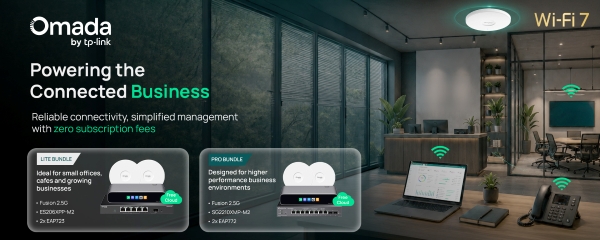
Powering the connected business. Reliable connectivity, simplified management with zero subscription fees

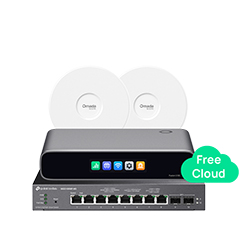
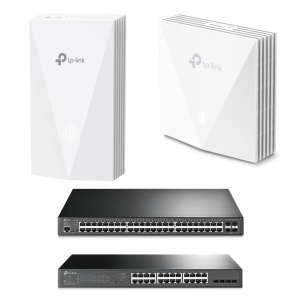
TP-Link are offering you the opportunity to test out one of their latest devices with 2 new bundle offers*. Combining the new Fusion 2.5G cloud-managed gateway, PoE switch and 2 Wi-Fi 7 access points, these bundles are a great opportunity to test out how you can create high-performance business networks for your customers.

Whether you’re looking to try out the latest kit or are keen to explore a new networking opportunity with Omada, this is your chance to experience reliable connectivity which can be simply managed, all with zero subscription fees.

Why Make Changes Now?

As customer expectations grow, businesses need networks that are:

Faster to Deploy

Simpler to Manager

Ready to Scale

The Omada Fusion 2.5G Gateway combines router and controller into a single device, reducing installation time and the number of separate devices needed.

With licence-free cloud management included, your customers can securely monitor, configure and troubleshoot their networks remotely, helping to reduce site visits and ongoing fees.

These bundles provide everything needed to deliver reliable Wi-Fi 7 performance, centralised management and a lower total cost.

What’s in these Two Bundles?

Lite Bundle

Pro Bundle

Ideal for:

start-ups & small offices
cafés, B&Bs & retail
GPs, vets & nurseries

Fusion 2.5G Router

combines routing, security and cloud management into one gateway

ES206XPP-M2 Switch

2.5G PoE switch delivering fast, reliable connectivity

2 EAP723 Wi-Fi 7 Access Points

Dual-band Wi-Fi 7 ceiling/wall access point allows seamless Wi-Fi

Ideal for:

the education & healthcare sectors
leisure & manufacturing
MSPs managing customer sites

Fusion 2.5G Router

combines routing, security and cloud management into one gateway

SG2210XMP-M2 Switch

2.5G PoE switch supporting bandwidth-intensive apps

2 EAP772 Wi-Fi 7 Access Points

Tri-band Wi-Fi 7 ceiling/wall access point supporting high-density Wi-Fi

Why Choose Omada?

Unified Cloud Management – Fast Deployment – Easily Expand Your Business – Superior Hardware & Performance – No per AP license fees or subscription lock in.

Let’s Power Your Customers’ Wi-Fi 7 Infrastructure

Please call 01484 840048 or email your questions to contact@provu.co.uk. Pricing and stock information can be seen on our reseller portal, ProSys.

The ProVu Team

*Please note: these bundles are limited to 1 per company and are available until further notice.

Choose TP-Link Omada, Forget Ubiquiti UniFi

See the 5 reasons to pick TP-Link’s Omada Devices when upgrading your infrastructure

A Flexible Network That Delivers More

TP-Link Omada offers a powerful alternative to Ubiquiti UniFi, combining enterprise-grade features and simple deployment with competitive pricing and strong local partner support.

Why choose Omada?

Listed below are 5 reasons to choose Omada for your portfolio:

1. Flexible multi-tenant cloud management

Assess your customers’ networks with Omada’s comprehensive cloud management platform, with no recurring licence fees for the free Omada Cloud Essentials Controller. For businesses with more advanced requirements, Omada Cloud Standard Controller provides a flexible, cost-effective device-based licensing model. While UniFi supports multi-site, Omada supports multi-tenant and multi-organisation setups, making it easier for MSPs and resellers to manage multiple customers and networks from a single platform.

2. Fast and simple deployment

Omada makes it easy to deploy and manage networks, with Zero-Touch Provisioning (ZTP) supported across all Omada Controller options – helping to reduce installation time.

3. Built to scale with optional 4G/5G failover

From SMBs to multi-site deployments, Omada provides a scalable networking ecosystem covering gateways, switches, Wi-Fi and more, with Omada Central bringing your network infrastructure together in one platform. Omada also offers DSL/SoGEA gateways and built-in 4G/5G failover to help keep customers connected, even if their primary broadband is disconnected.

4. UK stock and support – with a lifetime guarantee

With stock held in the UK, TP-Link can help you access the products you need and fulfil projects faster. You’ll also have access to a dedicated UK technical team, ready to provide expert support when you need it. With a Limited Lifetime Warranty and 24/7 support by phone, email and chat, TP-Link helps reduce the RMA costs and exposure that can come with supporting customers.

5. Built for partners

TP-Link’s Partner Programme offers NFR opportunities, deal registration, project support and more. You’ll also benefit from dedicated pre- and post-sales support, technical training, free site surveys and design assistance. With products sold exclusively through the channel, you can protect your margins and have confidence that the deal you register is the deal you keep.

Ready to Add Omada to Your Portfolio?

Explore the latest TP-Link business networking solutions and discover how they can help you build faster, smarter and more resilient networks.

Let’s Develop Your Customers’ Ultra-Fast Infrastructure

Please call 01484 840048 or email your order enquiry to contact@provu.co.uk. Pricing and stock information can be seen on our reseller portal, ProSys.

Reliable SIM Connectivity from anvil

Delivering resilient connectivity to your customers doesn’t have to come at a premium. With anvil’s low-cost solution, your customers can access reliable, proactive backup connectivity without the need for expensive SIM-compatible routers.

anvil SIMs are backed by the vM2M platform, giving you complete visibility and control over every SIM from a single dashboard. With real-time usage data and centralised management, you can make informed decisions, simplify day-to-day operations and focus on delivering a better service to your customers.

SIM Synergy

It can be hard to know which devices have SIM compatibility so we’ve curated the perfect solution:

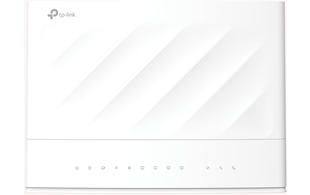
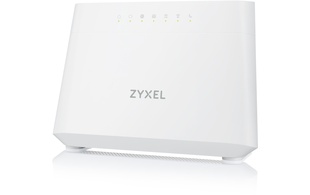
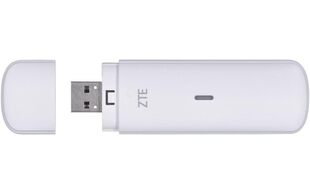
Pair TP-Link’s VX230v or Zyxel’s DX3301 with ZTE’s dongle and an anvil SIM to create a simple, cost-effective backup that helps your customers to stay online.

Your customers won’t need an expensive SIM-compatible router with these devices working together.

VX230V

Fibre VoIP Router

Wi-Fi 6

AX1800 speeds

Dual-band wireless

Full fibre ready

VoIP calling support

DX3301

VDSL VoIP Router

Wi-Fi 6

AX1800 speeds

VDSL2 compatible

Gigabit Ethernet

VoIP enabled

MF833N

Portable Modem

4G LTE

USB connected

150Mbps download

SIM supported

Plug-n-play design

Remember to include the anvil SIM to your bundle for its IOT SIM platform for management, multi-network capabilities, quote and order more SIMs through the platform, gain real-time insights on your data usage and connectivity, as well as scale up your need for failover solutions.

Why Choose anvil for Resilient Connectivity?

  • Cost-effective alternative to dedicated SIM-enabled routers
  • Fast, straightforward deployment
  • Reliable failover for greater business continuity
  • Compatible with the VX220v and DX3301 using a ZTE dongle and anvil SIM

For new deployments and existing installations alike, anvil makes robust, resilient connectivity more accessible than ever.

Get the resilience your customers need without the high hardware costs.

How it works

Simply insert SIM into IoT device, configure APN name to fidelity.iot (no username or password required), then receive vM2M login details for vM2M within 24 hours.

What Happens Next?

  1. Plug and Play Protection: SIMs arrive pre-installed and paired with routers for instant use
  2. Failover That Works: If the primary line fails, the router auto-switches to mobile data
  3. One SIM, Four Networks: Stay online with seamless access to EE, Vodafone, O2 and Three
  4. Real-Time SIM Management: Gain full visibility through one dashboard. Access data usage, connection status and SIM performance across your entire estate
  5. Deploy Anywhere: Ideal for remote sites, retail stores, warehouses, or new premises awaiting fixed-line installations

    Businesses can’t afford to pause for internet outages. With failover, they can keep going.

    Get in touch today to discuss your customers’ requirements. Call us on 01484 840048 or email contact@provu.co.uk to speak with a member of the team.

    The ProVu Team

    *Please note: anvil SIMs operate via a French data network. We recommend verifying your network routing and security policies before adding anvil as a failover connection to ensure compatibility. This may also affect access to certain UK-only platforms, such as some streaming services and .gov websites.

    What’s New From TP-Link?

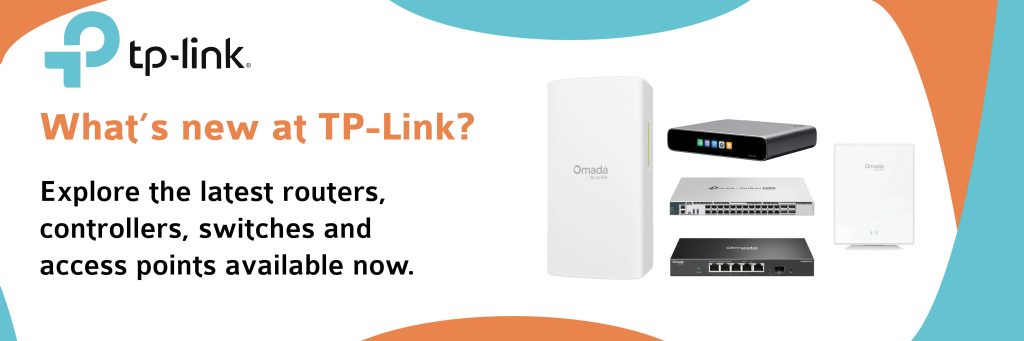
    We have great news! The latest additions to the TP-Link business networking portfolio have arrived, bringing even more performance, flexibility and simplicity to your network.

    Are your customers looking to:

    • upgrade core infrastructure?
    • deploy faster wireless connectivity?
      or
    • extend networks over long distances?

    These new solutions are designed to help build smarter, more reliable business networks.

    Featured Products

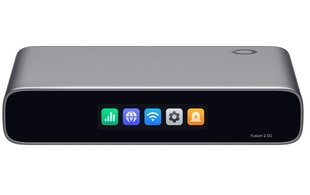
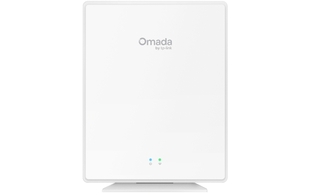
    Next-Gen Business Router

    • 5 RJ45 ports
    • 1 decicated WAN
    • 4 configurable LAN/WAN ports

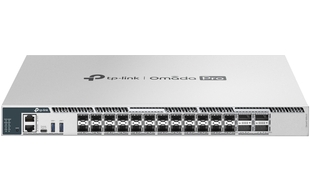
    High-Performance Switch

    • 3 LAN ports (RJ45, USB-C, 1 RJM45 management)
    • 24 SFP28 ports
    • 4 QSFP28 ports

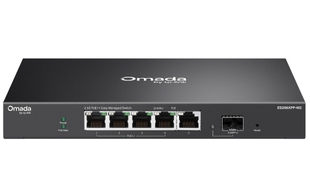
    Multi-Gig Switch with PoE++

    • 5 LAN ports (4 RJ45 PoE++ compliant & 1 10Gbps SFP+)
    • 4 PoE ports

    Long-Range Wireless Bridge Kit

    • 5GHz frequency
    • Up to 867Mbps wireless speed
    • Up to 5 km transmission distance

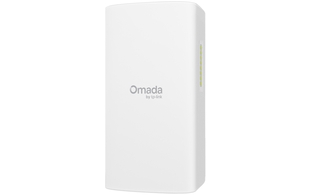
    Business-Class Wi-Fi Access Point

    • 1 GPON optical port
    • 4 Gigabit Ethernet RJ45 ports
    • 1 FXS RJ11 port

    Manage It All Through Omada Cloud

    Across all deployments, Omada Cloud gives you centralised control. With no per-AP license fees or subscription lock in, you can control multiple sites/tenants from a single interface. Your outwardly-facing login screens can be branded at no extra cost, giving your customers a smooth and professional view of your organisation.

    Ready to Upgrade?

    Explore the latest TP-Link business networking solutions and discover how they can help you build faster, smarter and more resilient networks.

    Let’s Develop Your Customers’ Ultra-Fast Infrastructure

    Please call 01484 840048 or email contact@provu.co.uk. Pricing and stock information can be seen on our reseller portal, ProSys.

    The ProVu Team.

    TP-Link’s Devices for the Education Sector

    Helping Your Customers Choose their Campus Network

    As schools, colleges, and universities continue to modernise their digital infrastructure, many are asking should they invest in Wi-Fi 7 technology today, or maximise value with a proven Wi-Fi 6 setup? With TP-Link Omada’s expanding portfolio, your customers have a wonderful amount of choice whichever path is taken.

    Why Choose TP-Link Omada for Education?

    TP-Link offers scalable devices that meet the demands of staff and students through:

    • Cloud-managed networking from a single platform
    • Secure and reliable guest access
    • Scalable solutions for properties of any size
    • Centralised monitoring and troubleshooting
    • Industry-leading value and performance

    Keep reading to find out more about the best TP-Link devices for education installations:

    Future-Proofing Wi-Fi 7

    By combining the EAP787 and the EAP773 Wi-Fi 7 access points with the SX3832MPP and the SX6632YF multi-gigabit switching, they deliver 6GHz connectivity, 10GbE uplinks, and exceptional performance for high-density spaces such as:

    ✓ Lecture Theatres
    ✓ Libraries
    ✓ Research Facilities
    ✓ Student Unions

    Superior Value Wi-Fi 6

    For schools and colleges seeking outstanding value, the EAP673 and the EAP653 Wi-Fi 6 access points paired with the SG3428XMP or the SG3452XP PoE switches provide reliable, high-performance connectivity for:

    ✓ Everyday Teaching
    ✓ Collaborative Workshops, Seminars and Classes
    ✓ Cloud Applications
    ✓ AI-Powered Learning Tools

    Many institutions are adopting a hybrid strategy, installing Wi-Fi 7 devices in high-performance areas while using Wi-Fi 6 hardware across classrooms, offices, and accommodation blocks. This could be an excellent and viable option for your customers.

    Which TP-Link Access Points & Switches Will Best Suit A School / College / University?

    We recommend the following based on your size or education tier:

    Primary / Secondary / Boarding School (below 1K users)

    The EAP653 and the SG3428XMP or the SG3452XP for ICT classrooms, libraries and the reception area.

    School / College (1-5K users)

    The EAP653 or the EAP673 with the SG3428XMP or the SG3452XP with Wi-Fi 7 devices in libraries, study halls, common rooms, ICT suites, and auditoriums.

    College / University (5–50K+ users)

    Wi-Fi 7 EAP773 and SX3832MPP in lecture theatres, research buildings, engineering, media production, student unions.

    Wi-Fi 6 EAP653 or EAP673 in offices, classrooms, seminar suites, halls of residence, and reception.

    Manage It All Through Omada Cloud

    Across all deployments, Omada Cloud gives you centralised control. With no per-AP license fees or subscription lock in, you can control multiple sites/tenants from a single interface. Your outwardly-facing login screens can be branded at no extra cost, giving your customers a smooth and professional view of your organisation.

    Whether your customer prioritises future-proofing or value, we can help with choosing and delivering reliable, scalable networking solutions.

    Get in touch today to discuss your requirements. Call us on 01484 840048 or email contact@provu.co.uk to speak with a member of the team.

    TP-Link’s Hospitality Devices

    If Reception had a coin for every time a guest asks “what’s the Wi-Fi password?”…

    In today’s hospitality environment, guests’ demands for seamless, high-speed Wi-Fi have never been higher and selecting the right network infrastructure safeguards efficiency and expectations. TP-Link’s series is designed to support boutique hotels, resorts, glamping sites, caravan and camping sites, serviced apartments and/or student accommodation.

    Why Choose TP-Link Omada for Hospitality?

    TP-Link offers scalable devices designed to meet the demands of your clients’ guests through:

    • Cloud-managed networking from a single platform
    • Secure and reliable guest access
    • Scalable solutions for properties of any size
    • Centralised monitoring and troubleshooting
    • Industry-leading value and performance

    Keep reading to find out more about the whole range designed just for this sector:

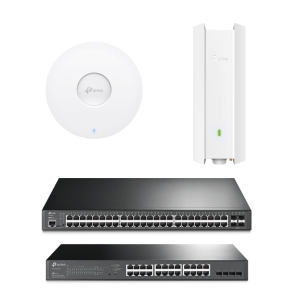
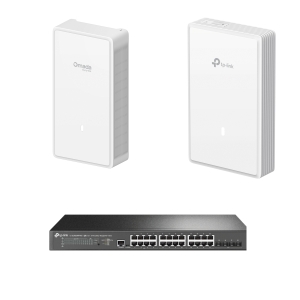
    Cost-Effective Without Compromise

    Perfect for those prioritising value, room coverage, and simplicity.

    Access Points: EAP655-Wall and EAP650-Wall
    Infrastructure: SG3452P and SG2428P

    ✓ Reliable high-speed guest Wi-Fi
    ✓ In-room wall plate design for simplified deployments
    ✓ Cost-efficient PoE switching infrastructure
    ✓ Easy network expansion as business needs grow

    Standard Services Inside or Out

    Suits properties like hotels and holiday parks. It’s for those that need reliable coverage in guest rooms, public areas and outdoors.

    Access Points: EAP653 and EAP650-Outdoor
    Infrastructure:SG3452P and SG2428P

    ✓ Excellent performance-to-cost ratio
    ✓ Strong indoor and outdoor wireless coverage
    ✓ Simplified deployment and management

    Future-Proofed Perfection

    Designed for properties where guest experience and superb operational efficiency are top priorities. They would be ideal for business and luxury hotels with international recognition.

    Access Points: EAP775-Wall and EAP725-Wall
    Infrastructure: SG3428XPP-M2 and Omada Cloud Controller

    ✓ Ultra-fast Wi-Fi for high-density guest environments
    ✓ Seamless room-to-room connectivity
    ✓ Multi-Gigabit switching ready for next-generation Wi-Fi

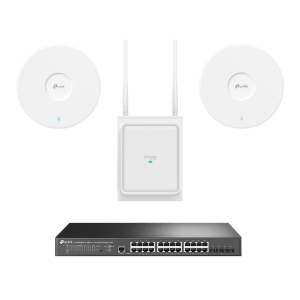
    Poised for Performance Inside and Out

    A luxurious solution for high-performance Wi-Fi across indoor and outdoor guest spaces. With a focus on footfall and connection, the devices provide a smooth connection as guests move between rooms, restaurants, bars, pools, gyms, golf and other amenities.

    Access Points: EAP723, EAP772, and EAP725-Outdoor
    Infrastructure: SG3428XPP-M2 and Omada Cloud Controller

    ✓ High-capacity Wi-Fi for busy hospitality environments
    ✓ Consistent guest experience across the entire site
    ✓ Future-ready Multi-Gigabit network backbone

    Manage It All Through Omada Cloud

    Across all deployments, Omada Cloud gives you centralised control. With no per-AP license fees or subscription lock in, you can control multiple sites/tenants from a single interface. Your outwardly-facing login screens can be branded at no extra cost, giving your customers a smooth and professional view of your organisation.

    Whatever your customers need, we can help deliver reliable, scalable networking solutions built for the latest demands in wireless internet access.

    Get in touch today to discuss your requirements. Call us on 01484 840048 or email contact@provu.co.uk to speak with a member of the team.