Registration now open: Getting Started with Snom & 3CX Webinar

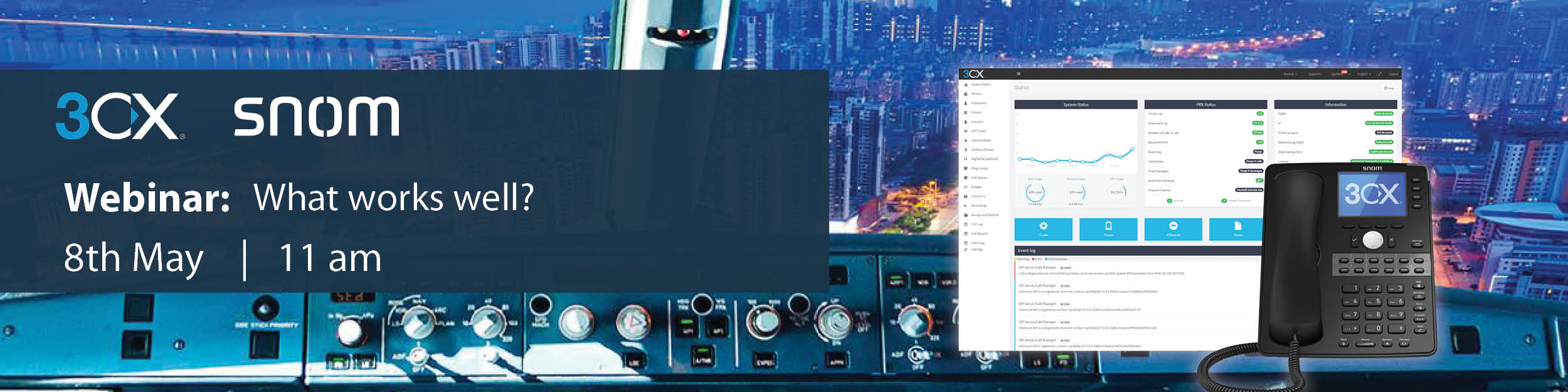
You’re invited to join the second instalment of our Snom and 3CX webinar series! Taking place on Thursday 22nd March at 11 am, we will be joining forces with 3CX’s UK Channel Manager, Paul Clarke and Snom’s PreSales Consultant, Neal Laxman to equip you with all the information you need to get started with Snom and 3CX.

With a wide range of compatible products, together Snom and 3CX offer a winning solution to suit a wide variety of user requirements. Register now to discover how you can get started and become a Snom and 3CX partner today.

Register Now

Sangoma Expand the s-Series of IP Phones

Sangoma has added two new phones to its s-series. Designed to be used with FreePBX and PBXact, the s205 and s705 wrap around the existing series to add a new entry level and executive level option.

Sangoma s205

  • 1 SIP account
  • Full duplex speaker phone
  • 5-way conferencing
  • Dual 10/100Mbps Ethernet ports
  • Inbuilt VPN support
  • Zero Touch Provisioning

Sangoma s205 desk phone

RRP: £43.70

Sangoma s705

  • 6 SIP accounts
  • 4.3″ full colour display
  • 5-way conferencing
  • 45 programmable soft keys
  • Dual Gigabit Ethernet ports
  • Full duplex speaker phone
  • Inbuilt WiFi & Bluetooth Support
  • Sangoma PhoneApp Support
Sangoma s705 desk phone

RRP: £171.28

Log in to ProSys for Trade Pricing

ProVu listed in Top 100 Fastest Growing Tech Companies

We’re rounding off year another record-breaking year here at ProVu by ranking among the top 100 fastest growing tech companies in the Northern Tech Awards!

Having been listed in the ranking for the last four years, our MD, Darren Garland will join a host of tech companies at The Hub in Edinburgh on 22nd March when the official rankings will be revealed by event organisers GP. Bullhound.

Companies previously listed in the league table include; TheLadBible, Sky Betting and Gaming and UKFast – check out the 2017 league table here.

Introducing the New Snom D120

Have you heard about Snom’s new entry-level desk phone? The new D120 is now in stock and available to purchase from ProVu. With a low price point, and opportunity for you to benefit from volume-based pricing, it makes the ideal solution as the entry-level phone for ITSPs and for large installations in areas such as hospitality or healthcare.

Key Features Include:

  • 2 SIP accounts
  • Backlit graphical display
  • Exceptional audio quality
  • 4 context-sensitive keys
  • 5 function keys

Log in to ProSys for Trade Pricing

Register Now for our Gigaset Multicell Webinar!

You’re invited to join our Gigaset Multicell Systems Webinar! Join us on Tuesday 13th March when our Sales Account Executive, Gavin Sykes will be joined by Gigaset’s Technical Sales Manager, James Bevan to discuss the advantages of this powerful DECT solution and how it can integrate into other systems.

Ideal for anyone who has previously installed a DECT system or who is simply looking to learn more about Gigaset’s Multicell DECT solutions, this webinar is a great opportunity for you to discover more about the following topics:

Webinar Agenda:

  • Advantages of Multicell over single-cell systems
  • Benefits over using WiFi systems
  • How does Gigaset DECT compare to its competition?
  • New products for 2018
  • Questions and Answers

Register Now

Goodbye Jablocom, Hello noabe

Specialist GSM phone manufacturer, Jablocom has announced a new direction to their strategy and are now going to be focusing on their cloud managed phone solutions. As part of this, they will be rebranding and as of1st March 2018 will operate under their new name, noabe. The rebranding process will be implemented gradually over the coming months, keep your eyes peeled for further updates!

Discover the Jablocom noabe Range

Jablocom / noabe’s GSM desk phones look and behave like normal office phones, without the need for LAN networking or an internet connection, making them ideal for applications in areas such as building sites, temporary offices and care homes.

Essence GSM Desk Phone

Tell me more about the Essence

Raven GSM Desk Phone

Tell me more about the Raven

 
Pricing and stock information can be seen on our online portal, ProSys. To register for a ProSys account please complete our ProSys application form.

Yealink USB Call Recording

Supported Yealink Models

SIP-T54S, T52S, T48G, T48S, T46G, T46S, T42S, T41S, T29G, T27G.

Enabling USB call recording

By default this feature is disabled, if you wish to use a USB stick to record calls you need to enable the following parameter:

features.usb_call_recording.enable
Valid Values: 0 or 1
1 = ON
0 = OFF

Note: this feature cannot be enabled via the web user interface or via the phone directly. It can only be done by a provisioning parameter.

If you are having your Yealink devices provisioned by ourselves and would like to use this feature just drop us an email and we can apply this to your template.

Uploading a CFG file

If you aren’t able to provision this setting to the device you can add the settings below to a plain-text file and upload it directly to the unit from a PC and it will enable the feature:

#!version:1.0.0.1
features.usb_call_recording.enable = 1
Remember to save the text file as “.cfg”

To upload the config file login to the web user interface of the phone and go to “Settings” > “Configuration” > Select the “Choose File” button next to “Import CFG Configuration File” and select the file on your PC > After selecting the file press the “Import” button for it to upload.

After the file has been uploaded the setting will be enabled.

Using USB call recording

1) Connect the USB stick to the phone and it will display a message saying “USB Flash Drive Connected” and display a logo of a USB Stick in to middle of the screen like above. (This will appear even if the setting is not enabled)

2) To use the feature during a call you will now notice a “More” soft-key appears. If you press this, you will get the option to start recording the call.

3) Press the “Start REC” button then you will have the option to pause or stop the recording. If you pause the recording you will have the option to start again or stop.

4) If you press the stop option you will see a notification saying the recording has successfully been saved.

5) To listen to the recording either disconnect the USB and connect it to a computer or alternatively press  the “Menu” button whilst the phone is not on a call and press enter on the “USB” option.

6) Then Select “Browse Audio”

7) Then select an audio file and press play:

8) The recording will then automatically start playing. You can pause, rewind and fast forward the recording.

The New Yealink CP920 has Arrived!

There’s a new conference phone in the Yealink CP range. Ideal for small to medium-sized businesses, the new CP920 is now in stock and available to order from ProVu. As the replacement for the CP860 model, the CP920 offers a hybrid UC meeting solution with WiFi and Bluetooth connectivity.

Introductory Offer

As part of this launch, we are delighted to offer you an exclusive introductory offer!* Available until 31st March 2018, simply purchase any of the following bundles to make some great savings.

Purchase 5 x Phones from the T4S series & receive a 15% discount on the CP920

Purchase 10 x Phones from the T4S series & receive a 25% discount on the CP920

Purchase 20 x Phones from the T4S series & receive a 50% discount on the CP920

Purchase 30 x Phones from the T4S series & receive a FREE CP920

Contact us to purchase a CP920 Bundle

*Please note: This offer is limited to 2 bundles per company, and is not available through ProSys – please speak to a member of the ProVu team to place your order.

Hear from Snom & 3CX in our latest webinar!

We’re giving you the opportunity to catch up on our recent Snom and 3CX webinar on Wednesday 28th February when we will be re-running this popular session, giving you the chance to discover the benefits this combined offering can bring to you and your customers.

Offering an easy to manage software PBX, 3CX has revolutionised the way many businesses communicate – join their offering with Snom’s expertly engineered range of IP deskphones for a winning solution which seamlessly integrates with each other.

Register now to reserve your free place for the first episode of this new webinar series and hear more from our Sales Director, Craig Herrett and representatives from Snom and 3CX.

Register Now