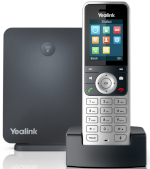
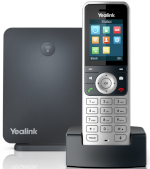
Introducing the latest in Multi-Cell DECT solutions with Yealink’s industry leading W90 Multi-Cell DECT system. Featuring seamless handover as well as extended cover range, it’s ideal for use in large spaces such as warehouses, hospitals, hotels, supermarkets and other large retail spaces.
Supporting up to an incredible 60 bases stations and 250 handsets, the W90 is designed to grow with your business and can be deployed easily and effectively!
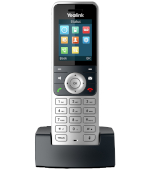
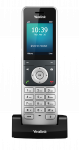
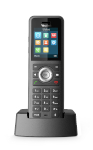
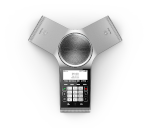
The W90 Multi-Cell DECT solution is also compatible with Yealink’s great range of DECT handsets, speakerphone and desk phone; W53H, W56H, W59R, CP930W & DD Phone (T41S + DD10K).
Get in touch with our expert sales teams on 01484 840048 or email contact@provu.co.uk to find out how to level up your Yealink Portfolio today!
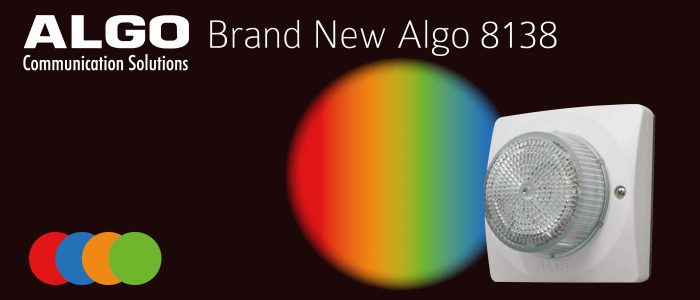
Take a look at the attention grabbing Algo 8138 SIP strobe light. With 4 built-in colour LEDs users are able to set the colour for the Algo 8138, choosing from red, blue, orange and green. Perfect for busy and noisy environments where visual alerts are paramount to the safety of staff as well as places where noise sensitivity and hearing impairments are an issue.
Such as…
With a host of features…
Network managed SIP endpoint
Four coloured LEDs including red, blue, amber and green
Cover is water tight with IP66 rating to allow contact with rain or spray if properly installed
Long range visibility via web interface
PoE support
180 combinations of flash patterns, intensity and colour including steady-state on
Ideal for noisy environments or where hearing protection is worn
Want to know more?
Contact the ProVu sales team on 01484 840048 or email contact@provu.co.uk to find out more and build your perfect solution.
It’s predicted that home working will more than double compared to pre-pandemic levels when restrictions ease. With that in mind, there couldn’t be a better time to ensure yours and your partners’ networks are secure and prepared for remote workers.
How to Make Your Network Secure for Remote Working
Sangoma’s SBC range are the perfect solution to securing VoIP networks not just for yourself, but for your customers too. Remote worker soft phone applications and the rise of UC solutions mean a greater variety of media need to securely use the network which can sometimes expose unfamiliar or unknown vulnerabilities. SBCs provide a number of services to make VoIP/UC systems more secure and better able to integrate SIP-based equipment from a variety of vendors. What’s more with features such as SIP over TLS and SRTP you can enable end-to-end encryption for voice traffic and provide a solution for SIP ALG problems on most modern routers.
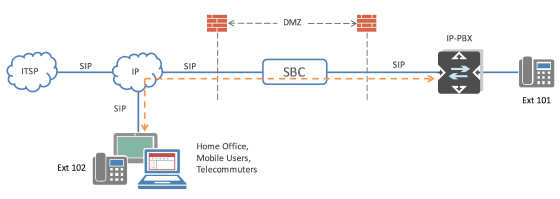
When it comes to remote workers, you’ll want to be sure that while allowing remote access to the PBX and UC applications, you are not effectively opening the door for toll-fraud and other attacks by simply opening ports in the data firewall. Sitting on the edge of a VoIP network, an SBC will only allow authorised endpoints used by remote workers to access the network.
Contact our expert team today to discuss how you can increase your profit opportunities by providing an improved service to your customers post-lockdown. Simply call 01484 840048 or email contact@provu.co.uk.
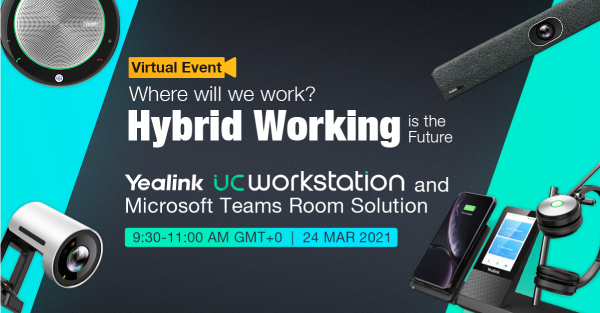
We’re delighted to invite you to Yealink’s free virtual event next week! Register now to join the Yealink team on Wednesday 24th March as they take a look at Hybrid working and how their latest products can help users to feel better and do better wherever they may be working.
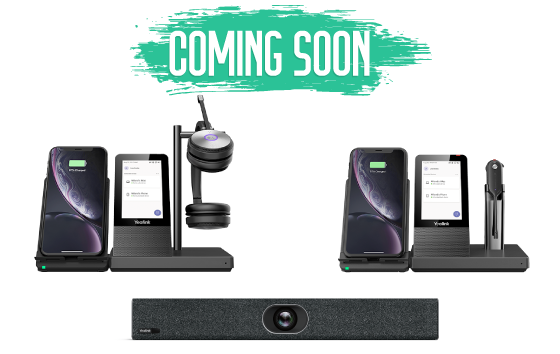
With some exciting prize draws and a focus on some of the latest, yet to be launched products, this is the perfect opportunity to discover what’s coming soon and how Yealink’s solutions can help to support the changing landscape of where we work. We hope you’ll be able to join us for what’s set to be an insightful event.
With plans on the horizon for the W52P to be discontinued, we have teamed with Yealink to offer you an exciting new promotion! Available until the 8th May, you can purchase the replacement W53P at a discounted price with Yealink’s new DECT Upgrade Program.
Benefit from the W53P’s advanced features for an impressive 50% off RRP! What’s more there is no limit on the number of devices available so why not upgrade your portfolio now before this incredible offer ends.
Supports 8 simultaneous calls per base station
Expandable up to 8 DECT cordless handsets
Compatible with the W52H, W53H and W56H additional handsets
Increase range with up to 5 DECT repeaters per base station
You may already be familiar with Session Border Controllers, but have you considered the opportunities they could offer to you and your customers?
What exactly is an SBC?
In its simplest sense, SBCs act like a firewall specifically designed for VoIP and UC systems. Traditional firewalls are great for creating a barrier around corporate networks, but they’re not so ideal when it comes to determining what traffic to block, which could result in important phone calls being missed. With an SBC, you have much greater control over VoIP and SIP systems, enabling you to recognise and stop suspicious behaviour, this can also be useful in the current climate where there’s a lot of remote workers using their own devices.
Who are SBCs good for?
SBCs are ideal for smaller ITSPs, telephone system installers, VoIP engineers and IT managers looking to protect their voice networks against malicious attacks and/or looking to increase profit opportunities by providing an improved service to your customers. With features such as load balancing, transcoding and least cost routing you can offer an improved, reliable service which is optimised to provide a resilient solution for your customers. This can help to reduce technical support time and increase your customer attachment rate. Whether you’re operating via a cloud-based system, a SIP trunking system or connecting remote workers to a corporate phone system, SBCs offer a range of benefits.
Key Features of Sangoma SBCs
Quality of Service
Generate the best quality of service the connection can provide, from HD voice quality to small bandwidth optimised codecs.
Business Continuity
Ensure business continuity during catastrophic hardware failures by mirroring two SBCs together.
VoIP Protection
Protects VoIP networks from malicious attacks.
Future Proof
All SBC licenses can be upgraded at any time enabling you to ensure all features are always included.
Call Routing
Provide low-cost routing and load balancing across trunks.
To discuss how Sangoma’s SBC range can help to secure your partners’ networks contact our team today by emailing contact@provu.co.uk or calling 01484 840048.
Didn’t manage to catch our 2N webinar or want to go over anything you may have missed? We have you covered.
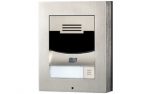
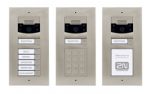
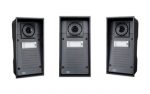
The Webinar hosted by our very own 2N specialist Gavin Sykes along side 2N’s Matt Raban covers the many features and units available to consumers. Such as the Solo, Verso and Force.
Also discussed is what ProVu can do to help you add 2N products to your portfolio. With many features like Consultation, Remote Support and white labelled installations, there are many reasons how ProVu can make 2N a valuable addition to your portfolio.
Our Trained experts are on hand to help you quote the correct equipment you need for your clients. Giving you a hassle free and time saving option to cut to exactly what you need for the project.
Pre-commissioning
Once devices have been chosen for the project, our team of 2N experts can configure the equipment to your chosen platform as well as conduct test calls to make sure that all products function as expected.
White-labelled installations
Carried out by a trusted and accredited 2N installers direct to site, saves you time as well as being a useful addition if you lack access to your own installation engineers. Giving you peace of mind that the equipment will be installed quickly and efficiently.
Remote Support & Troubleshooting
With multiple years of experience, our 2N experts can remotely access devices to get to the root of any issues you may face directly.
Get in touch with our expert sales teams on 01484 840048 or email contact@provu.co.uk to find out how build your 2N Portfolio today!
With plans on the horizon for the W52P to be discontinued, we have teamed with Yealink to offer you an exciting new promotion! Available until the 8th May, you can purchase the replacement W53P at a discounted price with Yealink’s new DECT Upgrade Program.
Benefit from the W53P’s advanced features for an impressive 50% off RRP! What’s more there is no limit on the number of devices available so why not upgrade your portfolio now before this incredible offer ends.
Key Features include:
Supports 8 simultaneous calls per base station
Expandable up to 8 DECT cordless handsets
Compatible with the W53H and W56H additional handsets
Increase range with up to 5 DECT repeaters per base station
Support for up to 2 simultaneous calls per handset
If your Yealink device is in a boot loop or stuck on the Welcome initializing… Please Wait screen then you may need to preform a TFTP firmware recovery. This guide will show you how.
In the guide we will be using PumpKin TFTP Server but you can use any substitute you like.
Please note: ProVu are not liable for any issues caused by this download and please make sure that this is all setup on a LAN and not a WAN.
Step 1:
To acquire the firmware recovery files please contact support@provu.co.uk
Step 2:
Once you have the right firmware files you will need to setup your TFTP server.
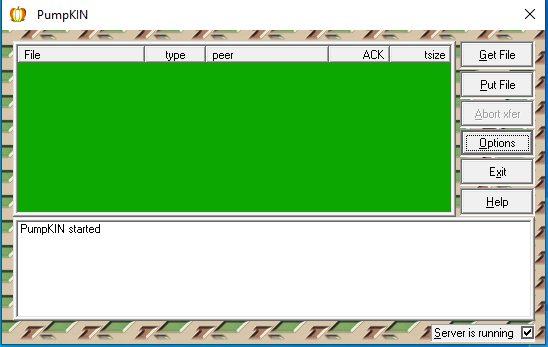
Once you have downloaded and installed PumpKin from the link above you will be presented with the below page:
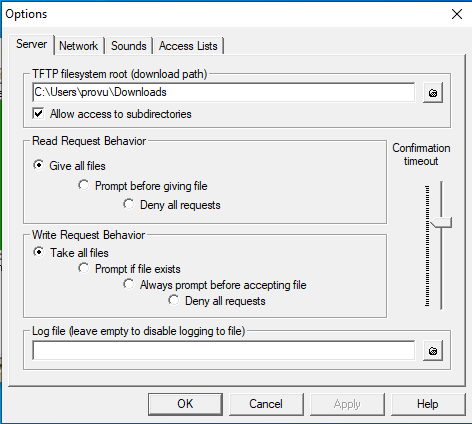
From here you will need to click on options which should bring up the following window:
On the above window you will need to set the TFTP filesystem root to the folder that you stored the firmware files in. In the example above I kept this in the Downloads folder but these can be stored anywhere you like.
You will also want to change the Read Request Behaviour to Give all files and the Write Request Behaviour to Take all files as shown in the screenshot above. Setting these options will allow the phone to request all the firmware files that it is looking for in the selected file path.
Once these have been set you can now click ‘OK‘ to save changes.
Step 3:
Putting your device into TFTP recovery mode. This may differ depending on what Yealink device you have so I have tried to cover them all in this guide for you.
T19, T2x, T3x, T4x, T5x
Step 1 – To recovery the above models you want to power off the device > press and hold the speakerphone button while powering on the device until you get to the following page:
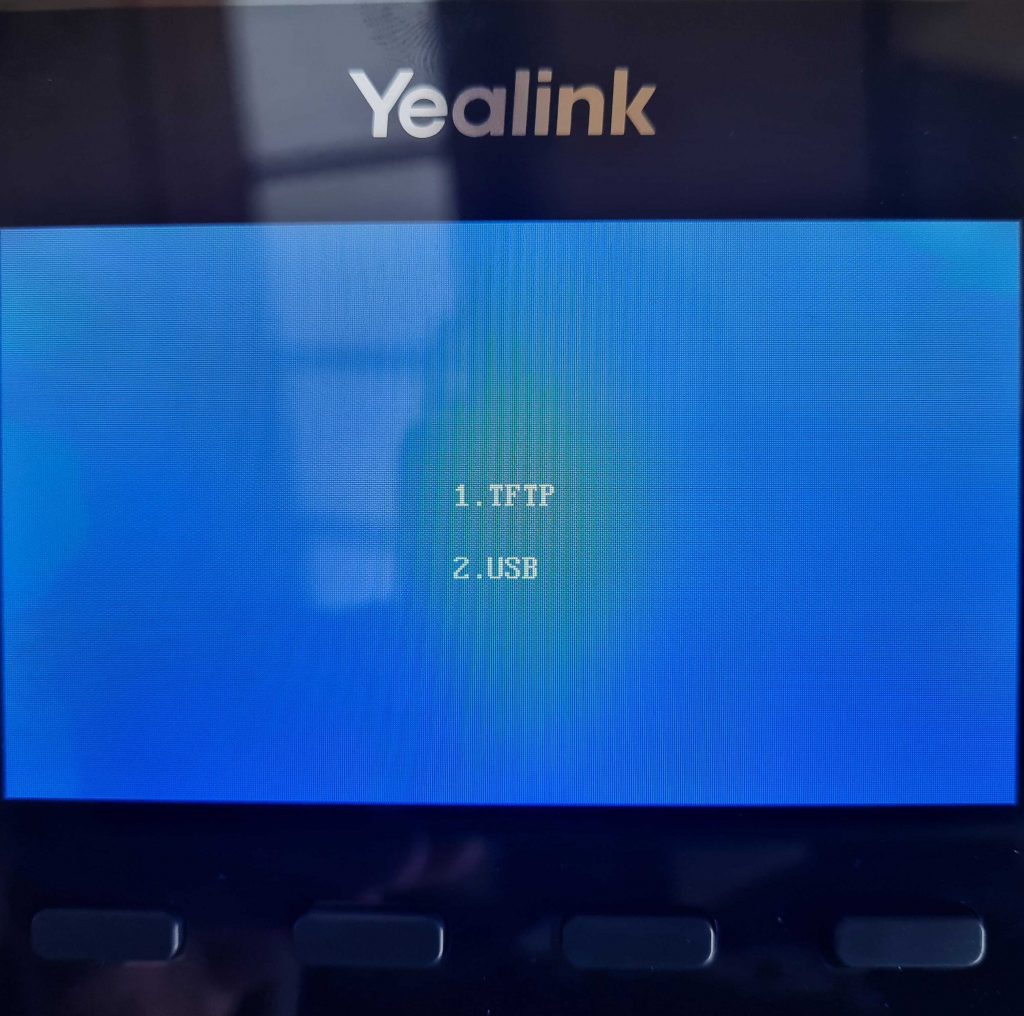
Unless your phone has a USB port in which case you will see these 2 options before the above:
If you are presented with this page first then click on 1. TFTP option.
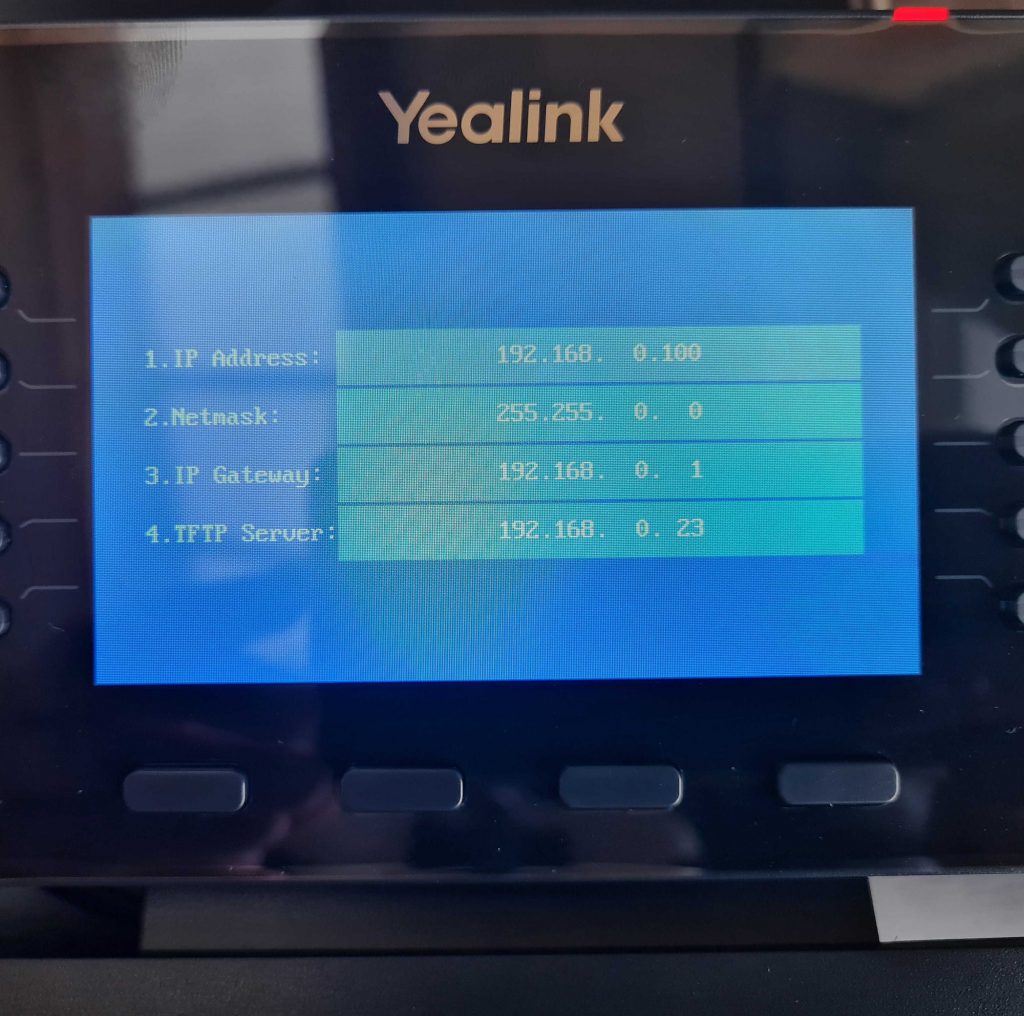
Step 2 – You should be on the page that has these four options:
IP address
Netmask
IP Gateway
TFTP Server
For these four options you will want to input the following:
IP address – Any unused IP address that is available on your network.
Netmask – For the netmask you will want to add the subnet mask of your network for example 255.255.255.0.
Gateway – This will be the IP address of your router.
TFTP Server– Finally this will be the IP address of the PC that is hosting PumpKin & Firmware files.
Once you have input these details press the ‘OK’ button on the handset, this will then start requesting the files that you downloaded and stored earlier.
Step 3 – Please note that this process can take a few minutes to complete. You should see Updating on the screen until eventually the phone reboots itself. If successful then once rebooted you should see the phones home screen as normal
If this was not successful then you should see a message such as Update failed, if that is the case then you will need to check your details and firmware file path and try again until successful.
W52P & W60B
Step 1 – To recover a DECT base station is a little different to a deskphone.
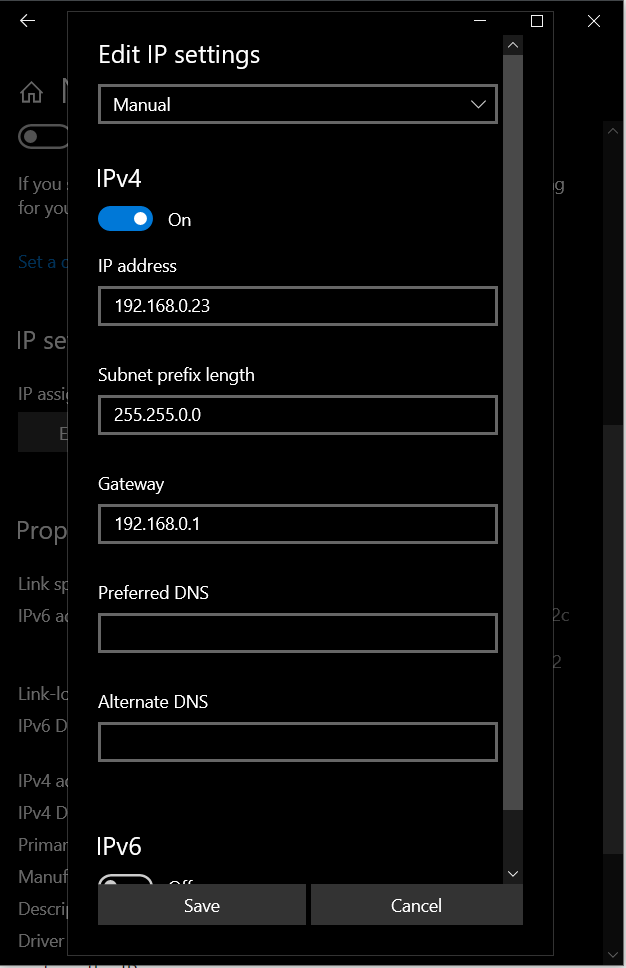
DECT equipment requests the files from a specific IP address so you will need to make sure that your PC that is hosting PumpKin is configured with the following information as per below:
Step 2 – During the recovery the base station should get an IP address of 192.168.0.100 and will request the firmware files from the IP address above (192.168.0.23)
To put the base station into recovery mode you will need to unplug the unit press and hold the paging button (only button on the base station) and power on the device while still holding the paging button until all the lights turn on one by one (Power, Network & Phone/Dect)
Step 3 – Just like the deskphone this will take a few minutes to complete. Once successfully complete the base should reboot and all lights on the base should be solid. The device should now get an IP address via DHCP and can now be accessible.
If you have any problems/issues with any of the above please contact support@provu.co.uk or call 01484 840048 option 2 for support.
Struggling to find USB headsets? Your search is over! We have an abundance of the latest and greatest USB headphones from the most advanced industry leaders. With more and more businesses looking to equip their staff with more resilient solutions there is no better time to expand your portfolio with plug & play USB headsets.
We’re here to support you; whatever your requirements, our team are on hand to help you every step of the way. With automatic device provisioning and branded or white labelled next day delivery available, your customers will be up and running in no time.
Call 01484 840048 or email contact@provu.co.uk. to discuss your requirements with a member of our team.


 Introducing the latest in Multi-Cell DECT solutions with Yealink’s industry leading W90 Multi-Cell DECT system. Featuring seamless handover as well as extended cover range, it’s ideal for use in large spaces such as warehouses, hospitals, hotels, supermarkets and other large retail spaces.