
Watch what happens to the 2N® Helios IP Force and the 2N® Helios IP Verso when they are driven over by an eight-ton armoured truck.
Browse Tag
2N
2N® Access Unit – Usage Scenarios
The 2N® Access Unit is a network access control unit which can be powered via PoE, this can be used standalone or can be used as part of a larger solution. The 2N® Access Unit allows organisations to monitor and control or restrict movement of people into and within buildings. The access unit has an inbuilt 13.56MHz RFID card reader and also supports NFC technology (with the purchase of the NFC licence).
There are a number of usage scenarios of how the 2N Access Unit can be used including:
- Premise entry basic usage
- Elevator card reader
- Dual identification solution – connect with keypad and or 3rd party fingerprint reader for high security where two forms of ID is required for access
- Premise entry and exit
Read the user scenarios.
Webinar: 2N IP Audio Overview
Join us on Tuesday 13th September at 11:00 AM (GMT +1) for our upcoming webinar: 2N IP Audio Overview. Ideal for anyone looking to install a paging or broadcasting system, our webinar topics will include:
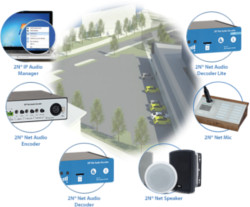
- Introduction to the range
- Usage scenarios
- Technical features
- Software applications
- Pricing and summary
- Questions and answers
This webinar is free to attend, simply register your details below.
Come and Join us at the 2016 Convergence Summit South!

It’s approaching that time of year again! With less than 4 weeks to go until the 2016 Convergence Summit South, we wanted to give you a sneak peek of who will be joining us and what you can expect to see on our stand.
This year we have doubled the size of our stand, allowing us to exhibit even more new, exciting products across a wider selection of our vendor partners. Joining us on stand 74 will be representatives from: 2N, Cisco, Gigaset, Panasonic, Sangoma and Snom.
To be there, simply register for your free visitor pass below:
Register now to attend the show
We look forward to seeing you there!
2N Online Training and Webinars
Did you know 2N regularly hold free online webinars and training courses giving you opportunities to extend your knowledge about 2N products. They have a variety of topics designed for 2N resellers’ technical and sales staff.
Topics include:
2N Products Overview (Technical)
2N Access Control (Technical)
2N Access Control (Sales)
2N Helis IP Verso (Sales)
2N IP Audio (Technical)
2N IP Intercoms Basic (Technical)
2N IP Intercoms Advanced (Technical)
View list of courses and register: 2N Training and Webinars
2N’s Helios IP Verso Tamper Switch
We have had an enquiry come in about how to wire in a tamper switch without an I/O module or a Wiegand module. I must admit I thought this was strange at first, given that I always thought it was fairly simple to do. It turns out it is but it is also easy to overcomplicate.
Make no mistake that 2N’s ideal setup would be a tamper switch connected to either an I/O module or a Wiegand module – every single piece of documentation I have found shows it connected in this manner. The idea is that it has 2 switches – we’ll call them switch 1 and 2 – with switch 2 connecting to the I/O module and back into the Verso, where it is recognised as a tamper switch, and switch 1 connecting to, for example, a 3rd-party alarm system, where it is recognised as a generic input that activates whatever the alarm system is programmed to activate.
The Verso however has its own generic input, into which you can wire switch 1 and have it behave as exactly that – a generic input.
Please note: in order to make use of a tamper switch in any way, you must have at least the Enhanced Integration Licence.
What you will need:
- A 2N Helios IP Verso base unit with or without camera – 9155101C or 9155101
- A tamper switch – 9155038
- 2 lengths of thin wire, about 6 inches long should do it – the lengths of wire I picked up for this demonstration are closer to about 6 feet.
- A small screwdriver
- Whichever other modules you wish to connect to the Verso – we have just an infopanel on our demo one.
- The relevant mounting boxes and/or frames – we are using a 2-module flush-mount box and frame.
- A computer on the network to do the programming.
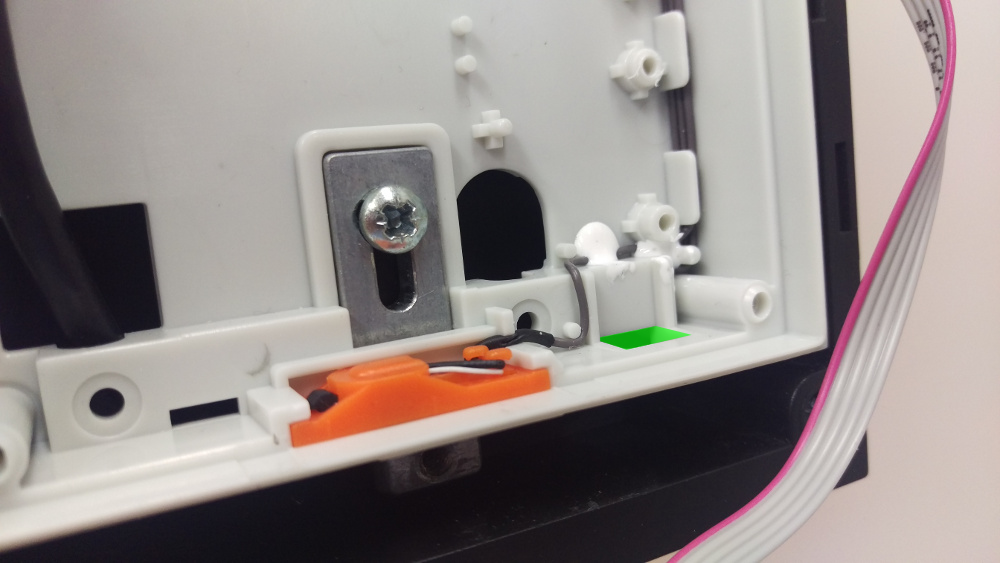
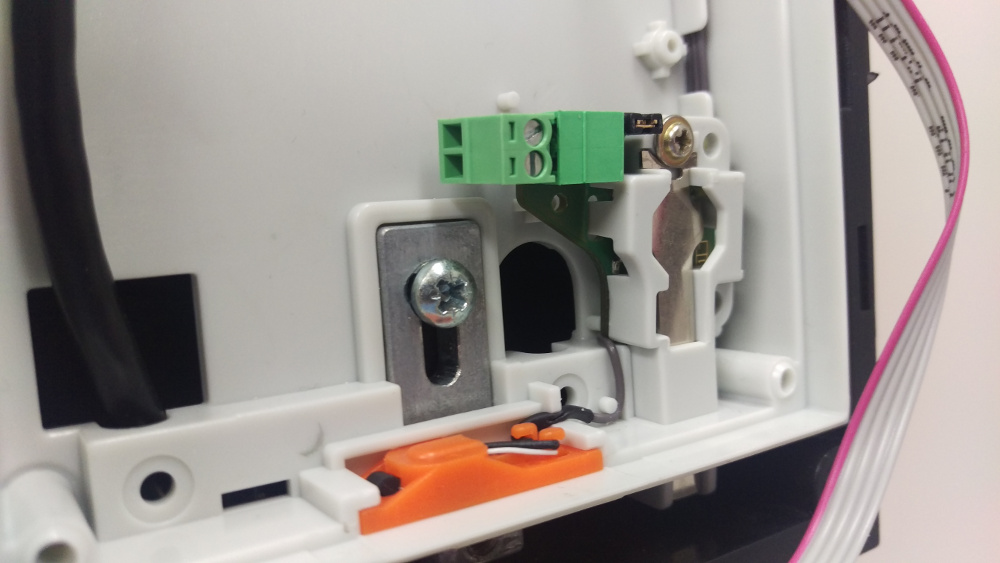
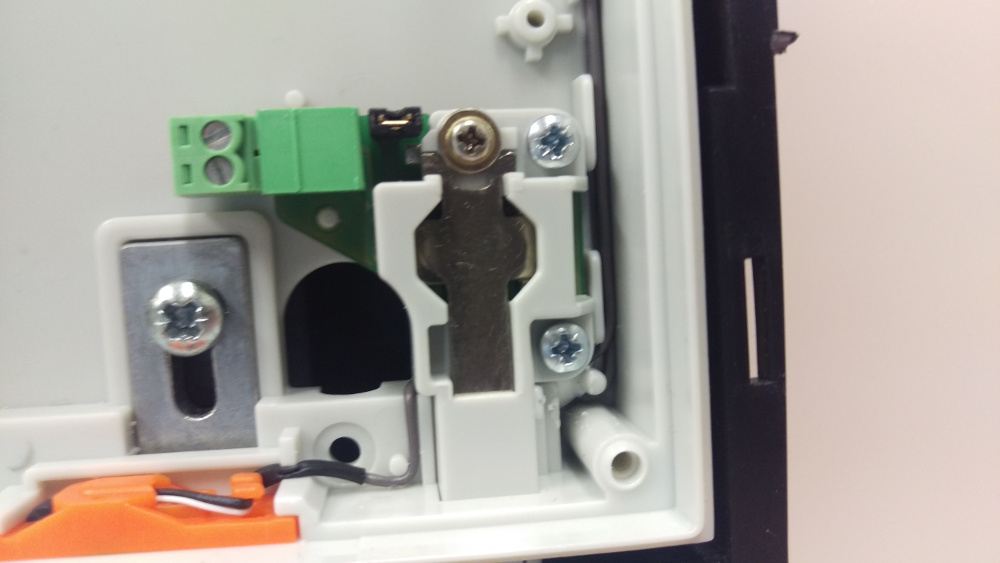
The tamper switch then needs wiring in via that little green terminal block on the left:
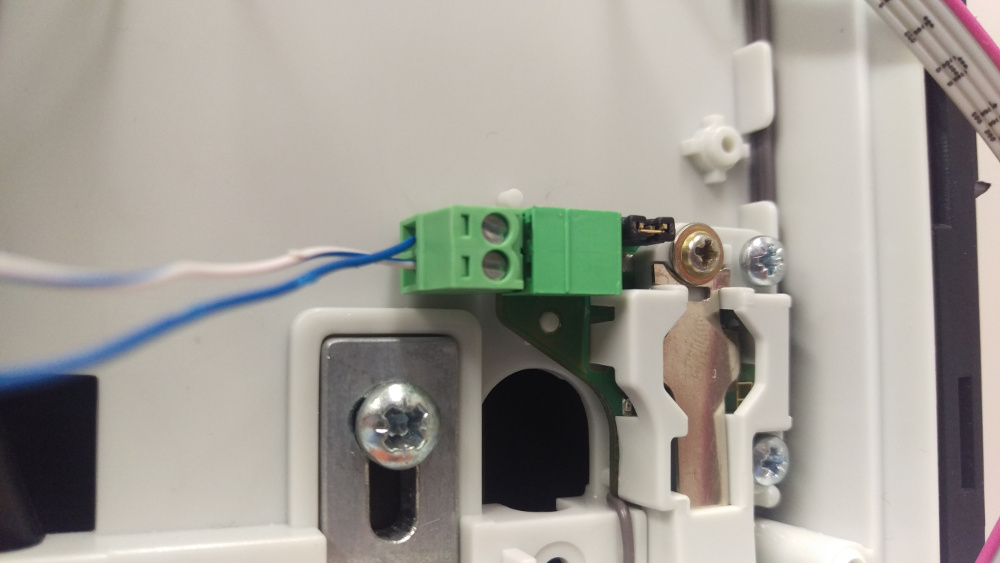
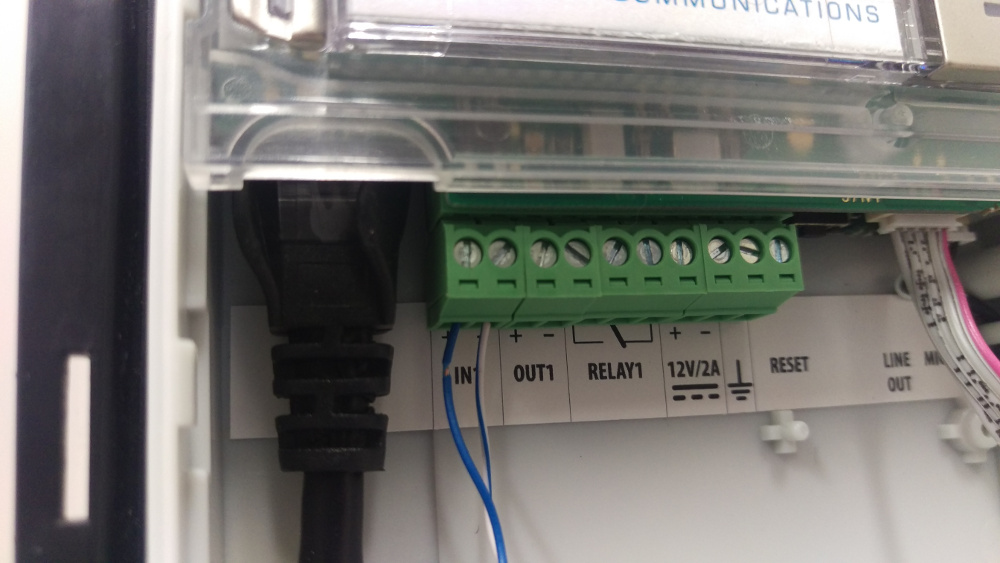
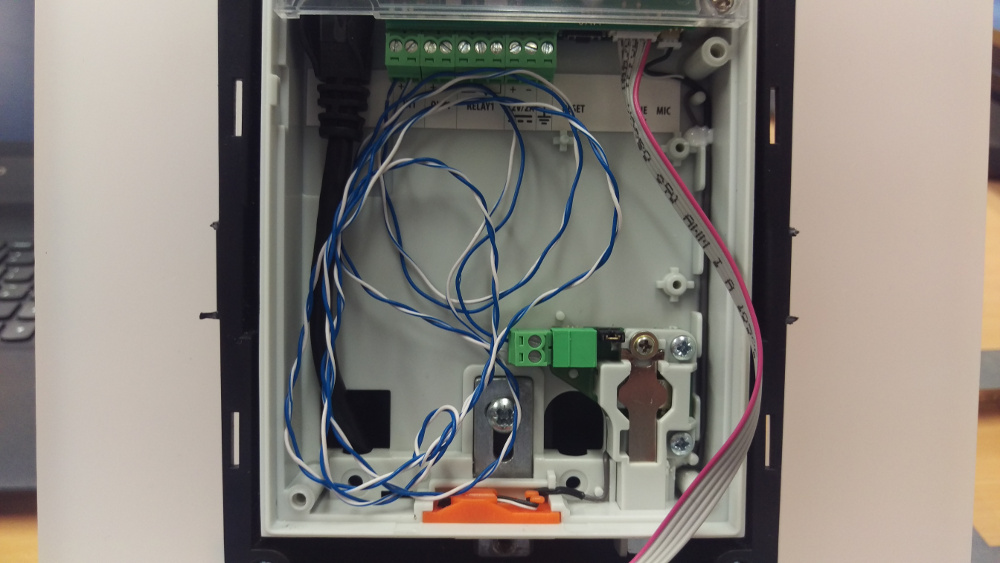
As mentioned earlier, because of the way it’s wired in, the Verso doesn’t know it is communicating with its own tamper switch, so the below is what you’ll see in the web interface when you try and program it as a tamper switch:

To run a quick demo of it working, I told the Verso that its Secured State Control was controlled by the status of input 1 – all this does short of any programming is activate a red LED next to the camera in the shape of a padlock – without the Enhanced Integration Licence this is all it will be able to do.
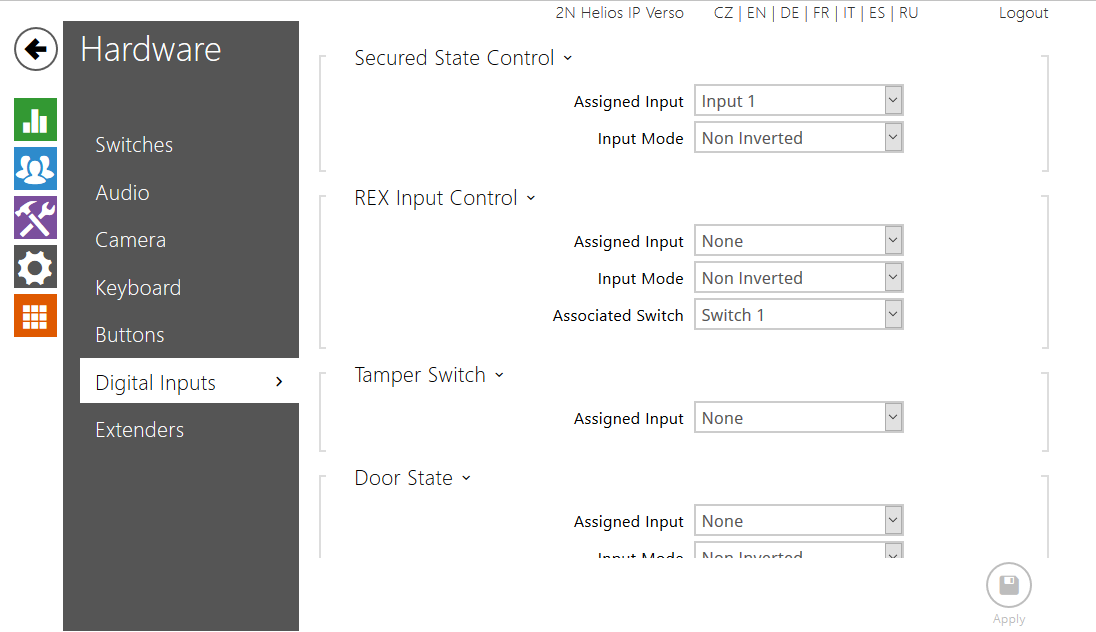
By using a screwdriver to press and depress the tamper switch, I was then able to turn the red LED on and off.
Please note: If you are using a tamper switch in this way you will not be able to wire anything else, such as an exit button, into the same input on the Verso. The only way to use an exit button without buying an I/O module will be to buy a security relay.
New firmware for the 2n Indoor Touch unit
2n have recently released firmware version 2.0 for the Indoor Touch communicator system.
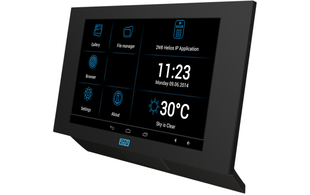
We have been testing this all week and are happy with it. What we like best about it are:
- Addition of a web interface for remote management, simpler management & diagnostics
- Fix for IP stack (caused units to lose IP address in some circumstances)
- Video-voicemail system built-in for when you are not available to answer the door
Full release notes and a download for this firmware can be found on the Indoor Touch product page
April Promotion: 10% off 2N IP Vario
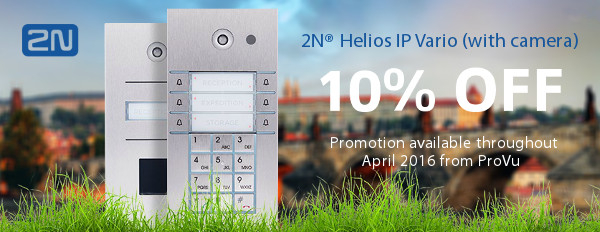
Throughout April we will be offering our resellers a 10% discount on the following 2N Helios IP Vario intercoms with camera:
- 9137111CU 2N Helios IP Vario 1 button + camera
- 9137131CU 2N Helios IP Vario 3 button + camera
- 9137161CU 2N Helios IP Vario 6 button + camera
- 9137111CKU 2N Helios IP Vario 1 button + keypad + camera
- 9137131CKU 2N Helios IP Vario 3 button + keypad + camera
- 9137161CKU 2N Helios IP Vario 6 button + keypad + camera
In addition to this there is a 25% discount on the following accessories:
- 9137909 2N Helios IP – Gold Licence
- 9137430E 2N Helios IP card reader 125kHz
This promotion is available to all ProVu registered trade resellers. If you are an ITSP, telecoms reseller or security installer and would like to become a ProVu reseller please fill out our new reseller form.
To take advantage of this great offer, simply contact a member of our sales team who will apply the discount to your order. Standard pricing is available on our reseller portal, ProSys. If you do not have access to ProSys or have forgotten your login details, please complete our ProSys registration form.
2N IP Force Model Changes
You will already be aware of the large range of models available of 2N’s IP Force intercom.
2N have decided to simplify their range slightly by adding a HD camera and phasing out the 1-Watt speakers in favour of more powerful and easily audible 10-Watt speakers.
This means that a few ordering codes have gone, or will be going, end-of-life, to be replaced by the newer codes.
| Old Model | New Model |
|---|---|
| 9151101W | |
| 9151101CHW | |
| 9151101KW | |
| 9151101CHKW | |
| 9151101RPW | |
| 9151101CHRPW | |
| 9151102RW | |
| 9151102CHRW | |
| 9151104W | |
| 9151104CHW |
If you have already been ordering these new part codes, then nothing will change, however the 10-Watt speaker models have been running in tandem with the older models for a while, resulting in 10-Watt speaker models with non-HD cameras, 9151101CW for example, also going end of life.
We had some larger projects after this post was originally published where we were still able to get hold of the older models from 2N, however as of 31st December 2016 this is no longer possible – only the ones left in stock are available.
Please see our IP Force model selector to view current models.
Webinar: Introduction to IP PA Systems
To offer you some useful insights in to the benefits of offering IP PA Paging Systems, we will be running a webinar on the 24th February at 11:00AM GMT (London). Throughout the webinar, we will be giving an overview of IP Paging Systems and how our product range can help you convert existing analogue systems or install new PA Systems for your customers.
Webinar Topics Include:
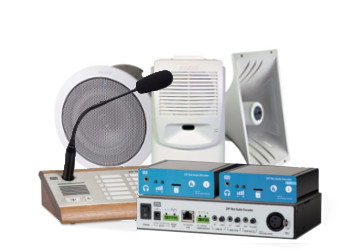
- What is an IP PA System?
- The benefits of moving to IP
- ProVu’s product range
- Integration with existing infrastructure
- Usage scenarios
- Summary
- Questions
This is a great opportunity for you to hear about the latest PA Systems and how they allow broadcasting of public announcements, advertising messages, streaming live or recorded music among a host of additional benefits.